The following is the recorded version of the help article outlined below.
In Rave, you can adjust your own notification settings. This allows you to control the volume and type of notifications recieved via;
Rave Notifications (Alerts)
External Email Notifications (sent to your email inbox)
Reminder: A Branch is the building company/Rave Client that invites the contractor to use Rave with them
NOTE: All Contractors can update their own notifications based on what they have been given access to. If a given user can not see a particular notification switch, they haven't been given access to that permission.
NOTE: For users who have access to multiples different Branches (Rave Clients) you can choose which notifications you want on or off per Branch simply by using the branch switcher Icon on your Notification Page. This is also available for Cross Branch users where a single person has access to more than one Rave Account
Note: In order for notifications to be able to go out the Branch must have then turned on at either a branch level or Project Level first. This will always override the ability to see them in your profile. Example if the branch turned off task starting reminders then they will Not be able to go out even if you turn them on for that branch.
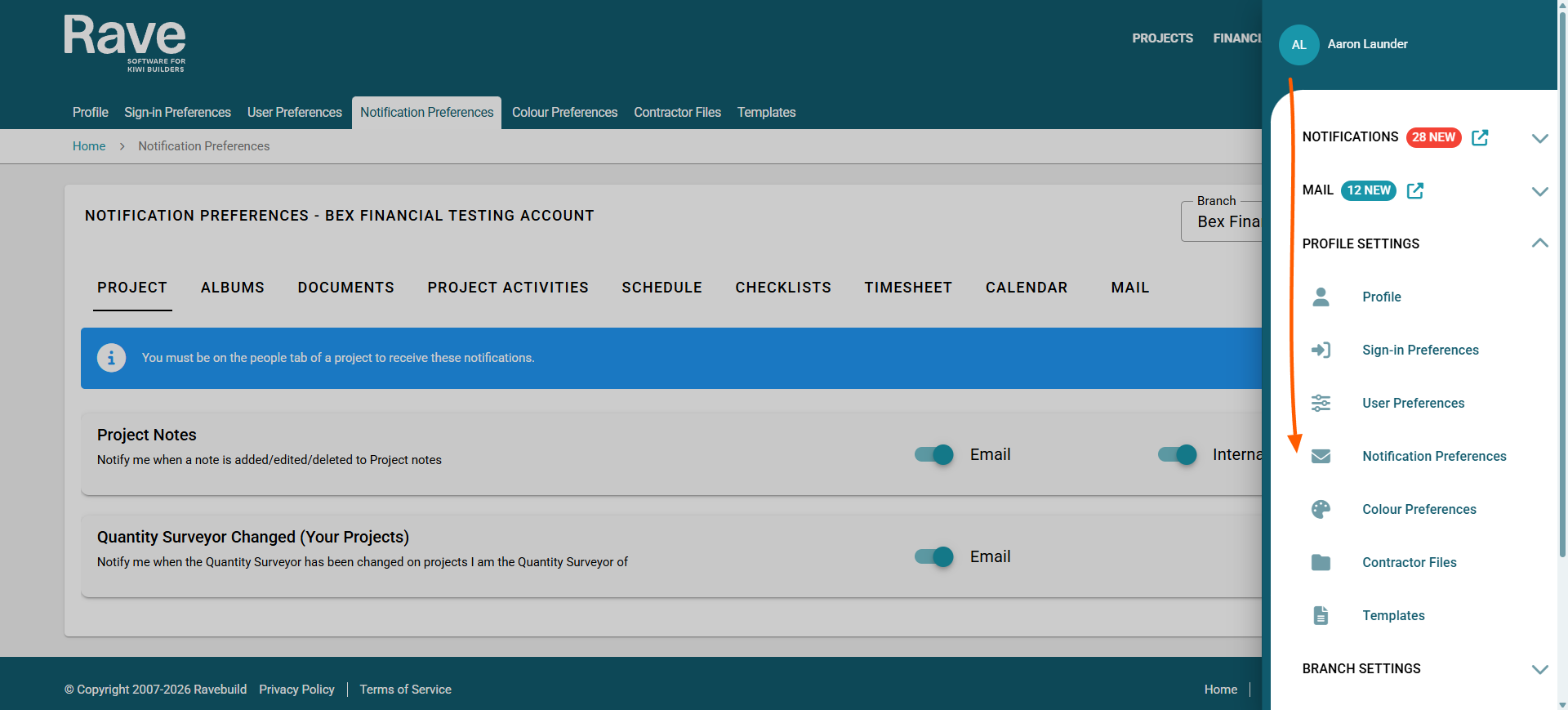
To get started click on the circle icon to the top right of the screen
then select Profile Settings - Notification Control.
This will navigate you to the settings page
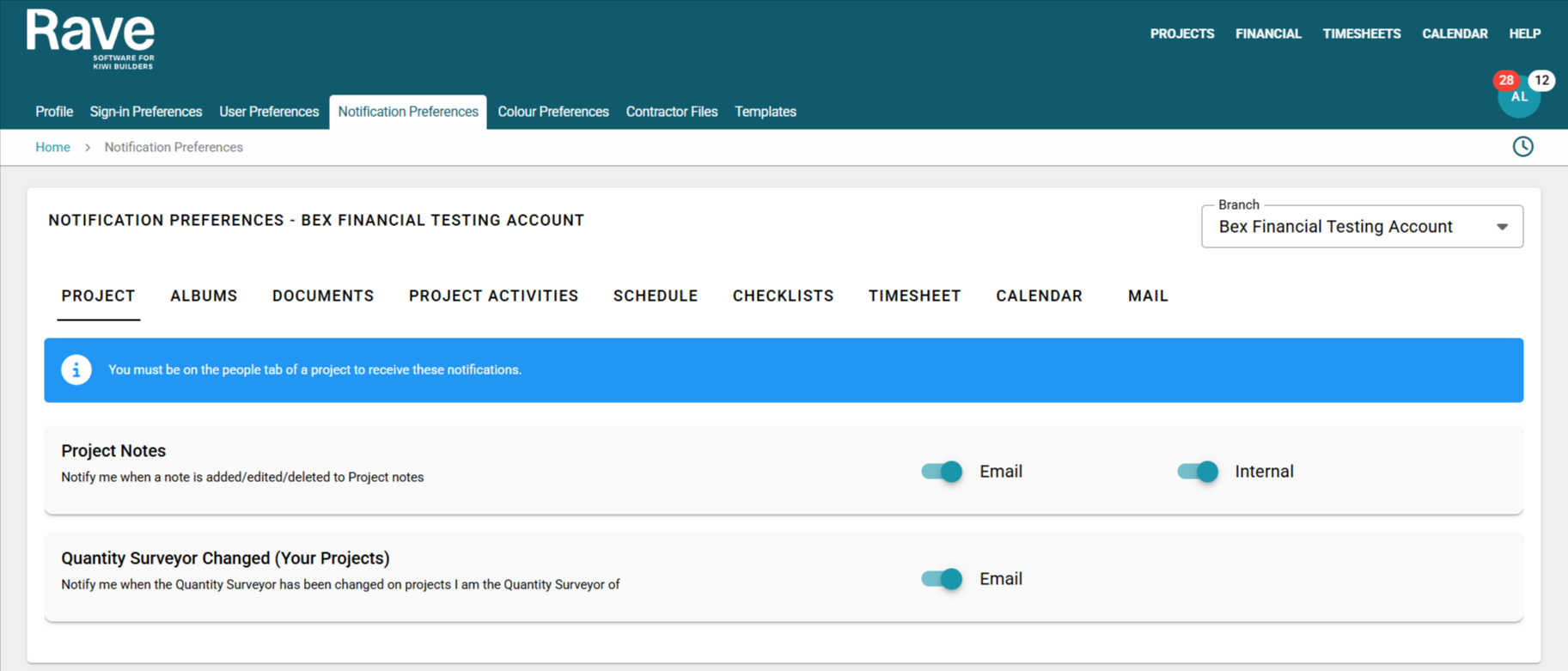
Rave Project Notification Preferences
You can now choose to edit your internal and email notifications for the below options:
- Project Notes - Notify me when a note is added/edited/deleted to Project Notes
- Quantity Surveyor Changed (Your Projects) - Notify me when I am removed/Added as a Quantity Surveyor on a project.
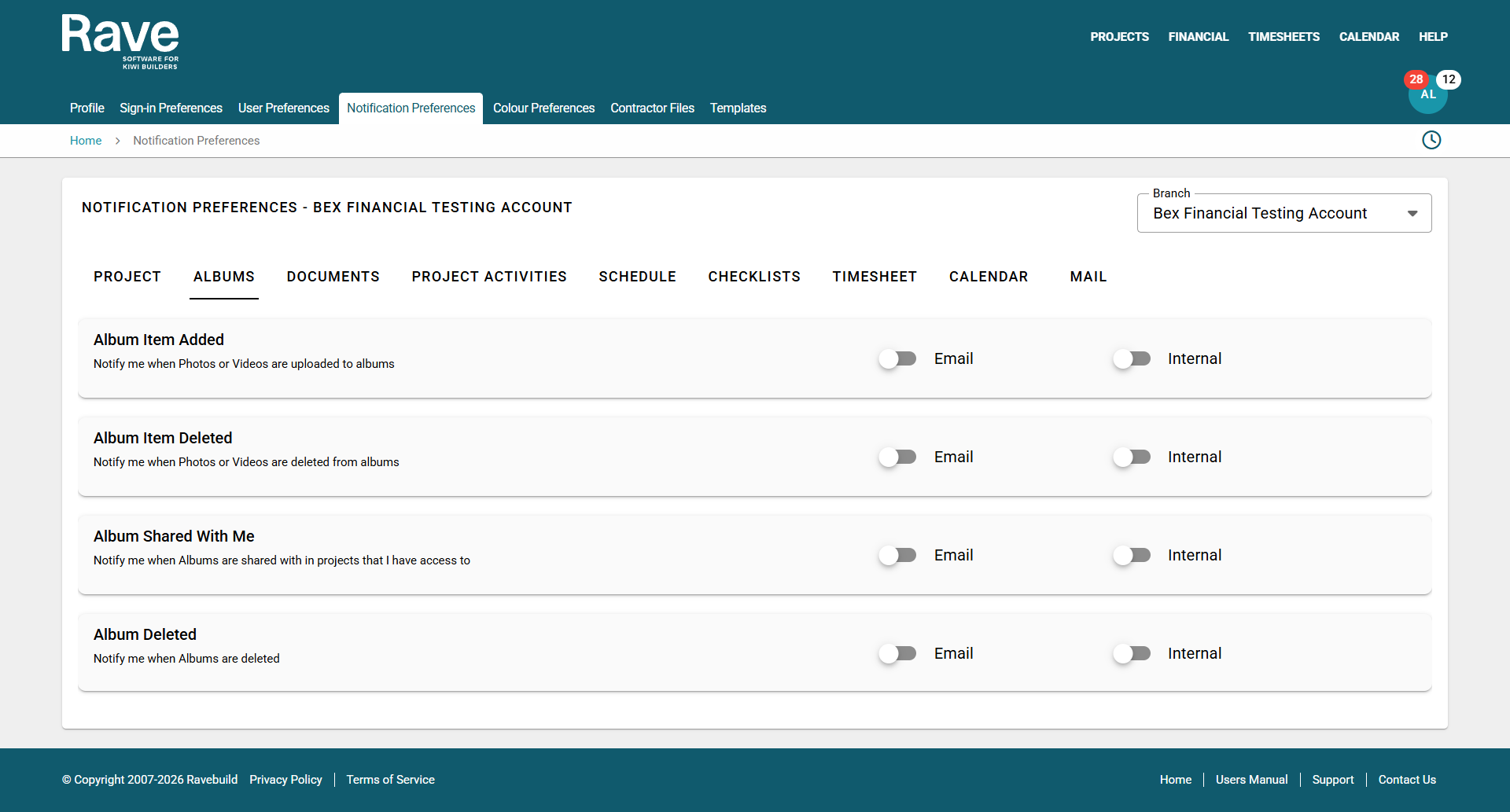
Rave Album Notification Preferences
Album item added - Notify me when Photos or Videos are uploaded to albums
Album item deleted - Notify me when Photos or Videos are deleted from albums
Album shared with me - Notify me when Albums are shared with me in projects that I have access to
Album deleted -Notify me when Albums are deleted that I have access to
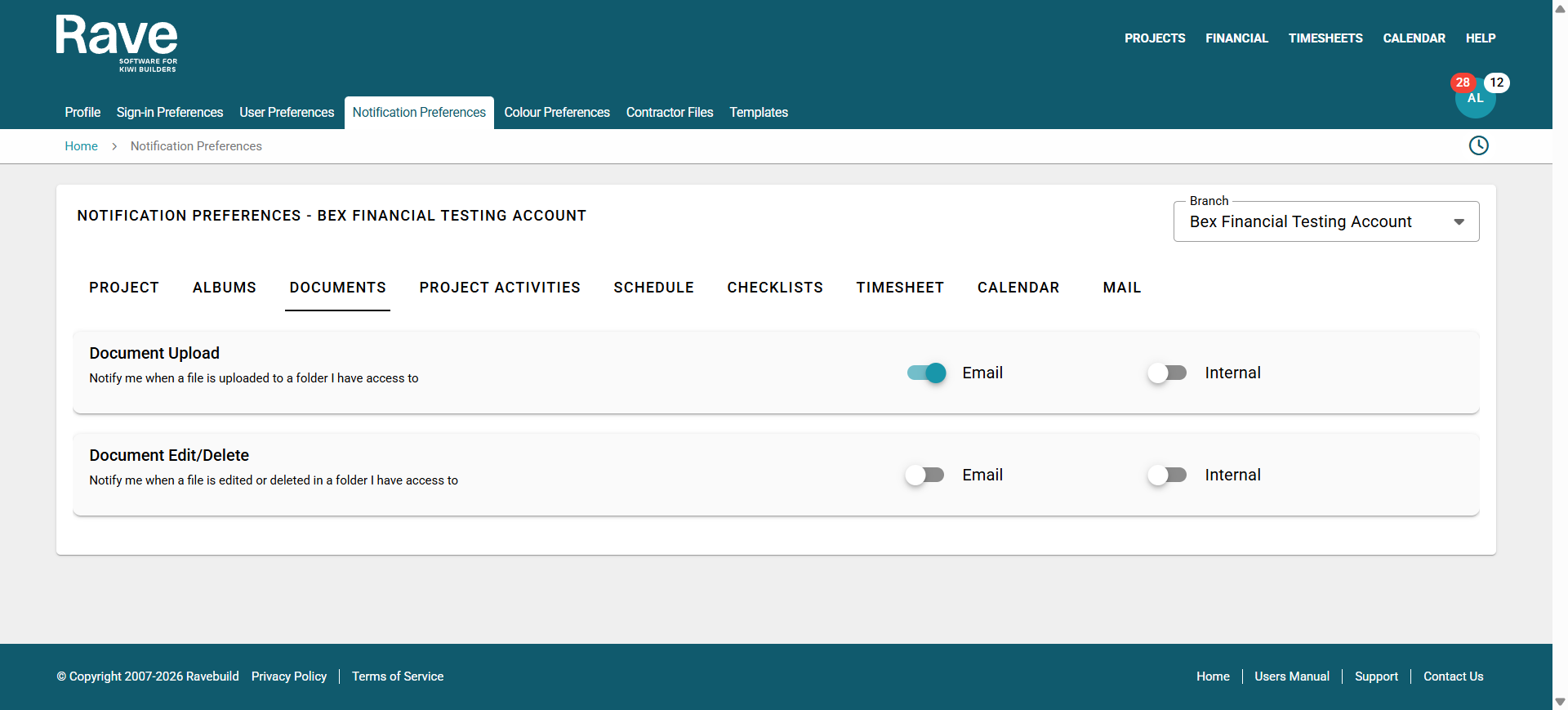
Rave Document Notifications
Document Uploaded - Notify me when a file is uploaded to a folder I have access to
Document Edit/Delete - Notify me when a file is edited or deleted in a folder I have access to
Rave Project Activities Notification Preferences
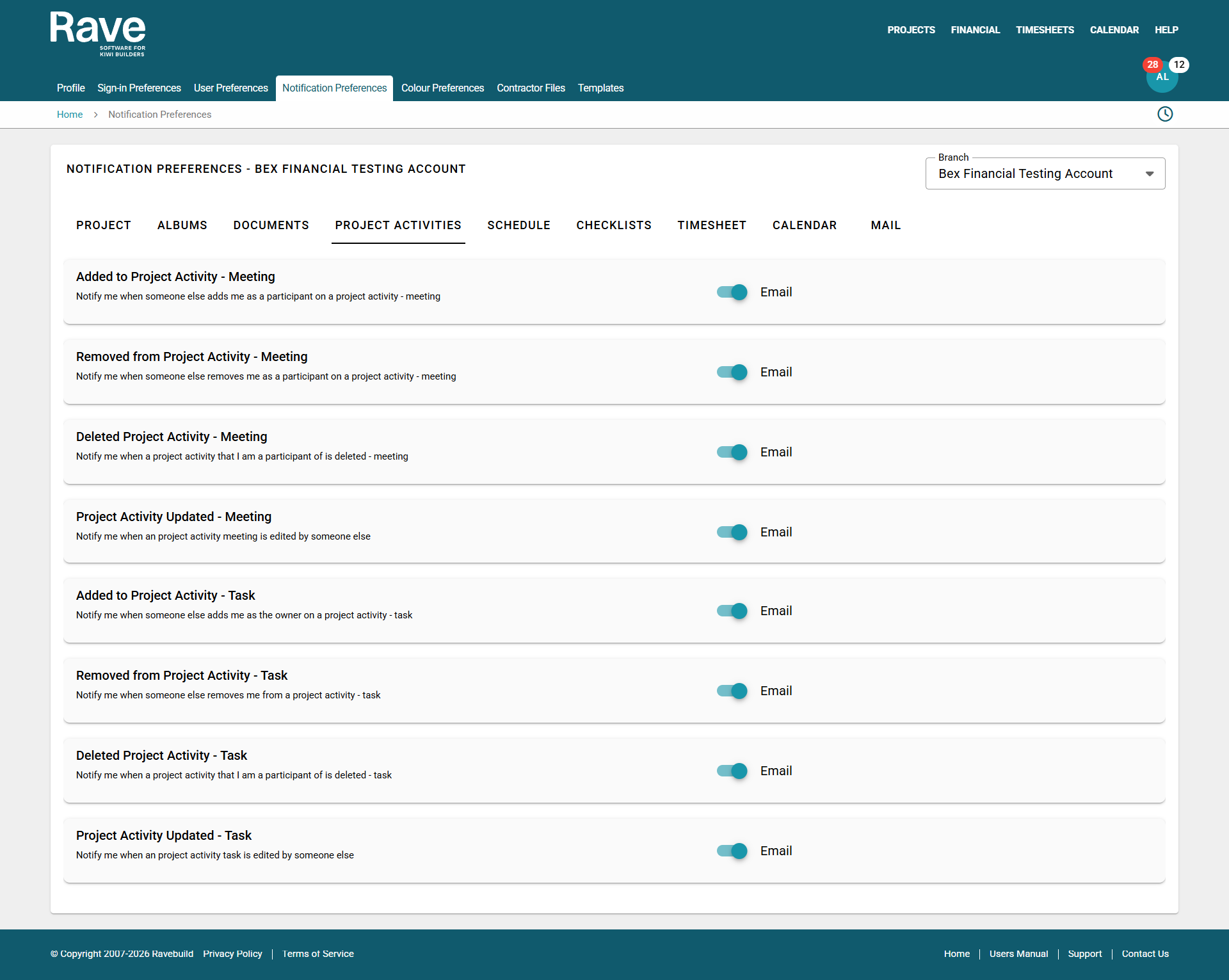
You’ll now see a list of notification options under the Project Activities tab.
You can review each option and toggle On or Off based on the email notifications you want to receive.
Please note: These are external email notifications, they will be sent to your inbox outside of Rave.
All notifications come from the email address noreply@ravebuild.co.nz
An example of the External email is below:
In this example A Contractor File for "Acceptance Contractor" has had the expiry date changed from 8th April 2025 to 30th April 2025, the File Name is Selection Print (1).pdf and the person who made this change is User Gellert Grindelwald.

Rave Schedule Notification Preferences
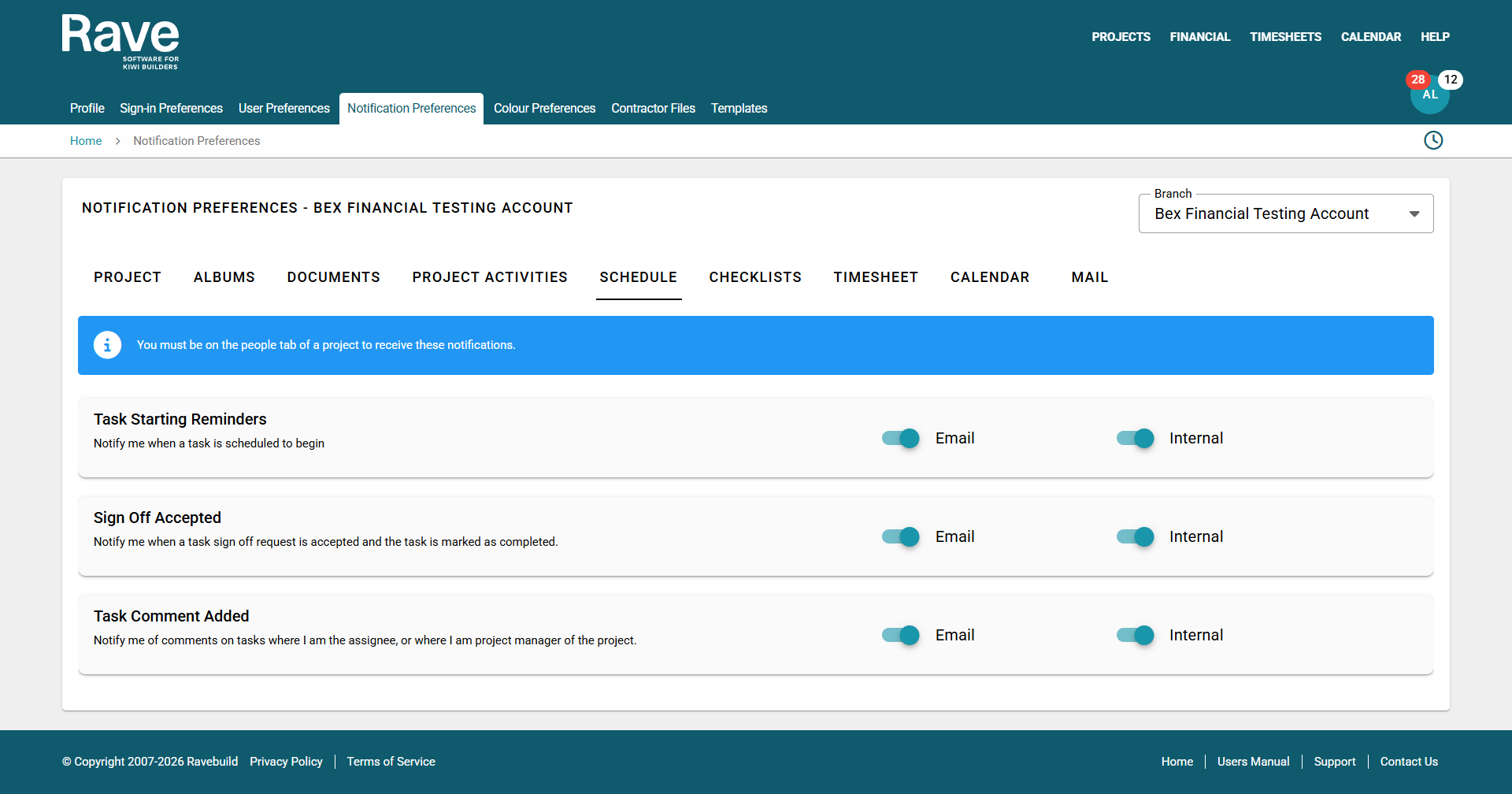
The next tab is schedule. You can now choose to edit your internal and email notifications for the below options:
- Task Starting reminders
- Sign off Accepted Reminders
- Task Comment Added Reminders
Rave Checklist Notification Preferences
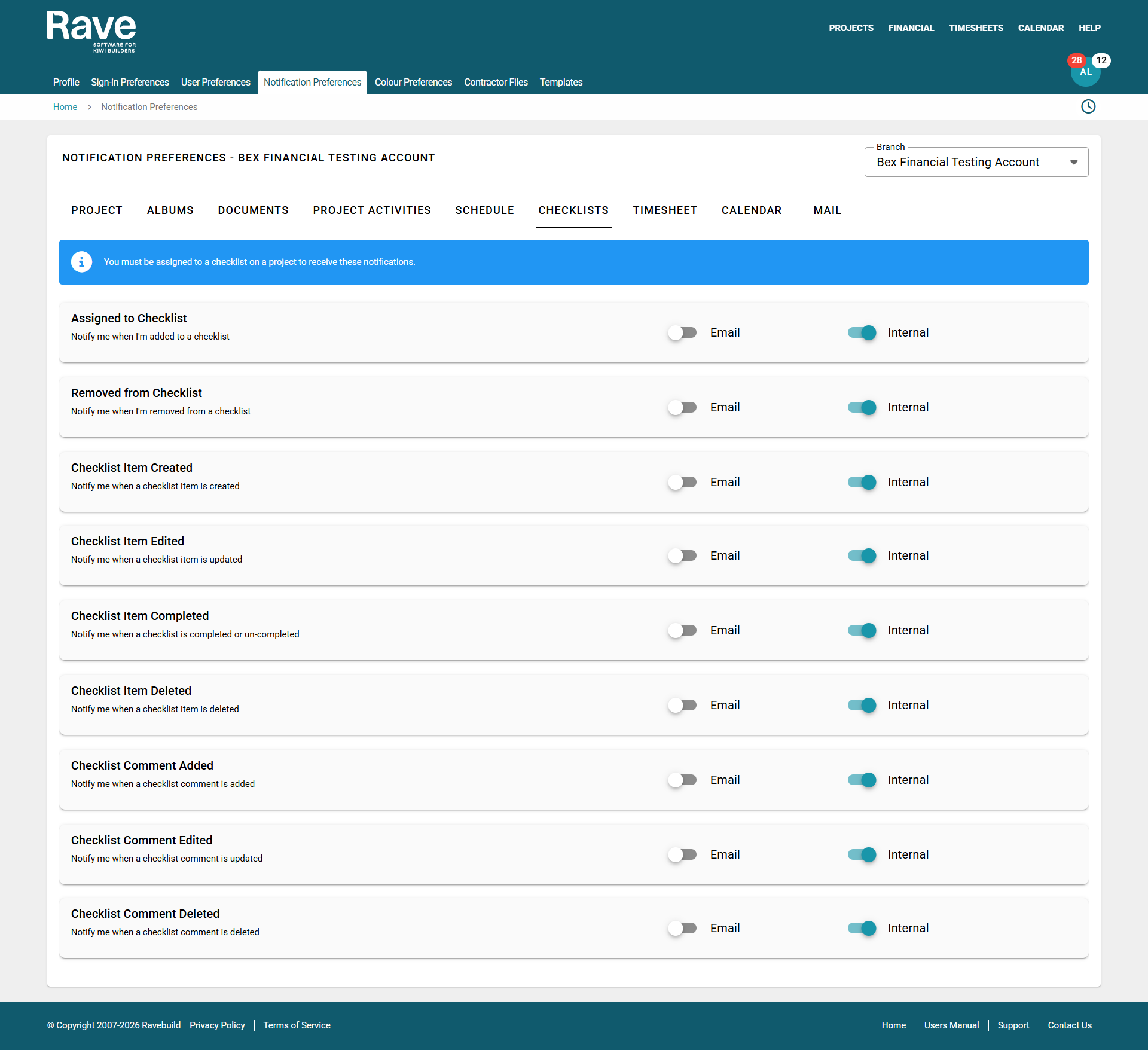
Where you can update your notifications if the company that you contract to uses checklists. You can toggle between getting email notifications or internal notifications.
Note: Its important to note that you must be assigned to a checklist on a project to receive these notifications.
Contractor Checklist Assigned – i.e. notify me when a checklist is assigned to me
Contractor Checklist Removed – i.e. notify me when I have been removed from a Checklist
Contractor Checklist Item Created – i.e. notify me when a checklist item I’m assigned to has been created
Contractor Checklist Item Edited – i.e. notify me when a checklist item has been edited that I'm assigned to
Contractor Checklist Item Completed – i.e. notify me when an item within a checklist is ticked off/completed or uncompleted on a project that I'm assigned to
Contractor Checklist Item Deleted – i.e. notify me when an item within a checklist item is Deleted on a project that I'm assigned to
Contractor Checklist Comment Added – i.e. notify me when a comment is added to a checklist I have access on a project that I'm assigned to
Contractor Checklist Comment Edited – i.e. notify me when a checklist comment I’m assigned to has been edited
Contractor Checklist Comment Deleted – i.e. notify me when an comment within a checklist item is Deleted on a project that I'm assigned to
Rave Timesheet Notification Preferences
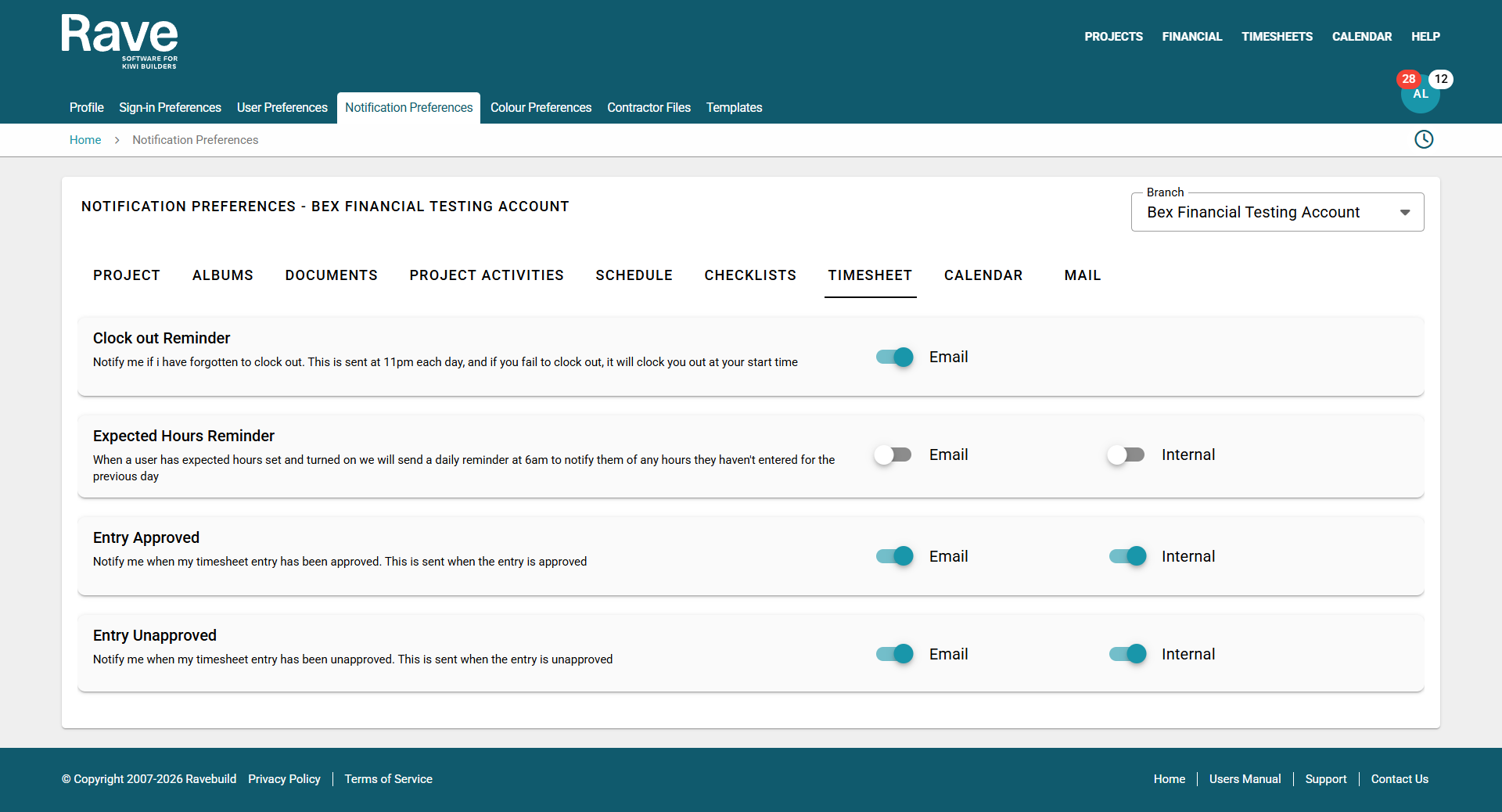
You can now choose to edit your internal and email notifications for the below options:
- Clock Out Reminder - Notify the user that they have forgotten to clock out. This is sent at 11pm each day, and if you fail to clock out, it will clock you out at your start time
- Expected Hours Reminder - When a user has expected hours set and turned on we will send a daily reminder at 6am to notify them of any hours they haven't entered for the previous day
- Entry Approved - Notify the user when their timesheet entry has been approved. This is sent when the entry is approved
- Entry Unapproved - Notify the user when their timesheet entry has been unapproved. This is sent when the entry is unapproved
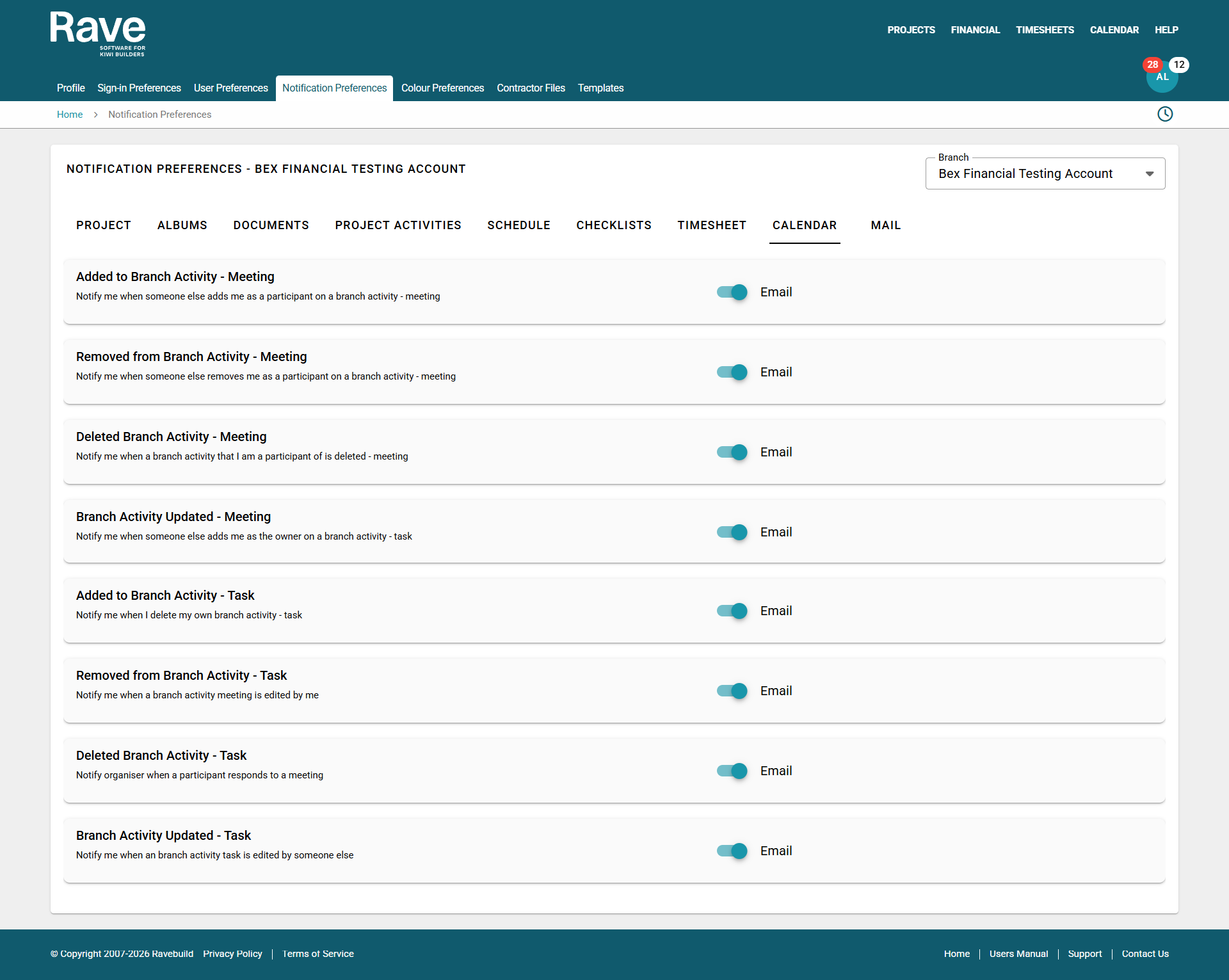
Rave Calendar Notification Preferences
You can now choose to turn on/off several Calendar/Activity notifications which would trigger an external email to be sent to you.
Rave Mail Notification Preferences
You can now choose to turn on/off Rave Mail notifications which would trigger an external email to be sent to you.
Was this article helpful?
That’s Great!
Thank you for your feedback
Sorry! We couldn't be helpful
Thank you for your feedback
Feedback sent
We appreciate your effort and will try to fix the article