The following is the recorded version of the help article outlined below.
Managing cash flow is one of the most important parts of running a successful business. While Purchase Orders (POs) help control committed spending, businesses also need visibility on when those costs are likely to become payable.
The Expected Bill Date is an estimated date entered against a Purchase Order that predicts when a supplier bill is likely to be received or fall due.
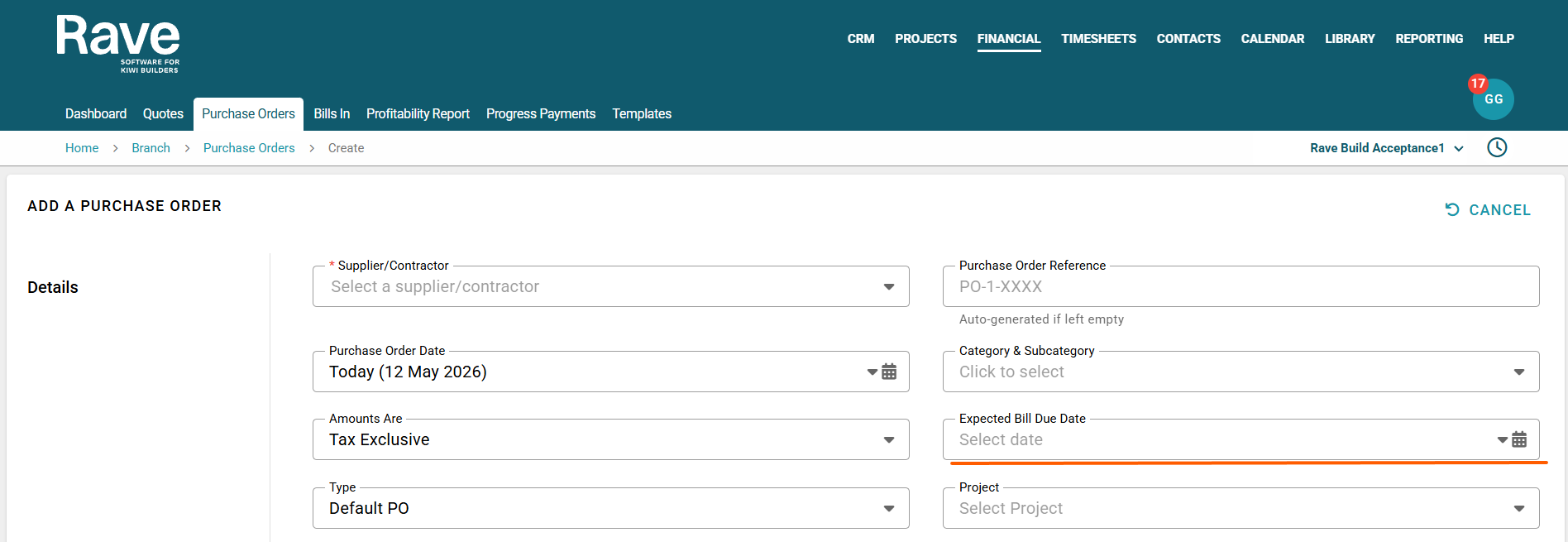
Rather than waiting for the supplier bill to arrive, the Expected Bill Date provides the business with an early indication of upcoming expenses, allowing them to be included in forecasting and cash flow planning.
It’s important to understand the difference between expected and actual:
| Field | Purpose |
|---|---|
| Expected Bill Date | Forecast of when the bill is likely to arrive or become payable |
| Actual Bill Date | The real invoice date is entered when the supplier bill is received |
The Expected Bill Date is predictive, while the Actual Bill Date becomes part of the official accounting record.
To generate this field in Reporting, you need to add a forward date on any purchase orders you generate in Rave. This field appears in both project-level purchase orders and branch-level ones and sits at the top of the page under the Expected Due Date drop-down.
Once you have entered this information, you can find your report under Reporting - Branch Reporting - Financial - Expected Due Date.
Note: You will need permission to access this report, so if you don't see these fields, please contact your branch owner or Rave support for help.
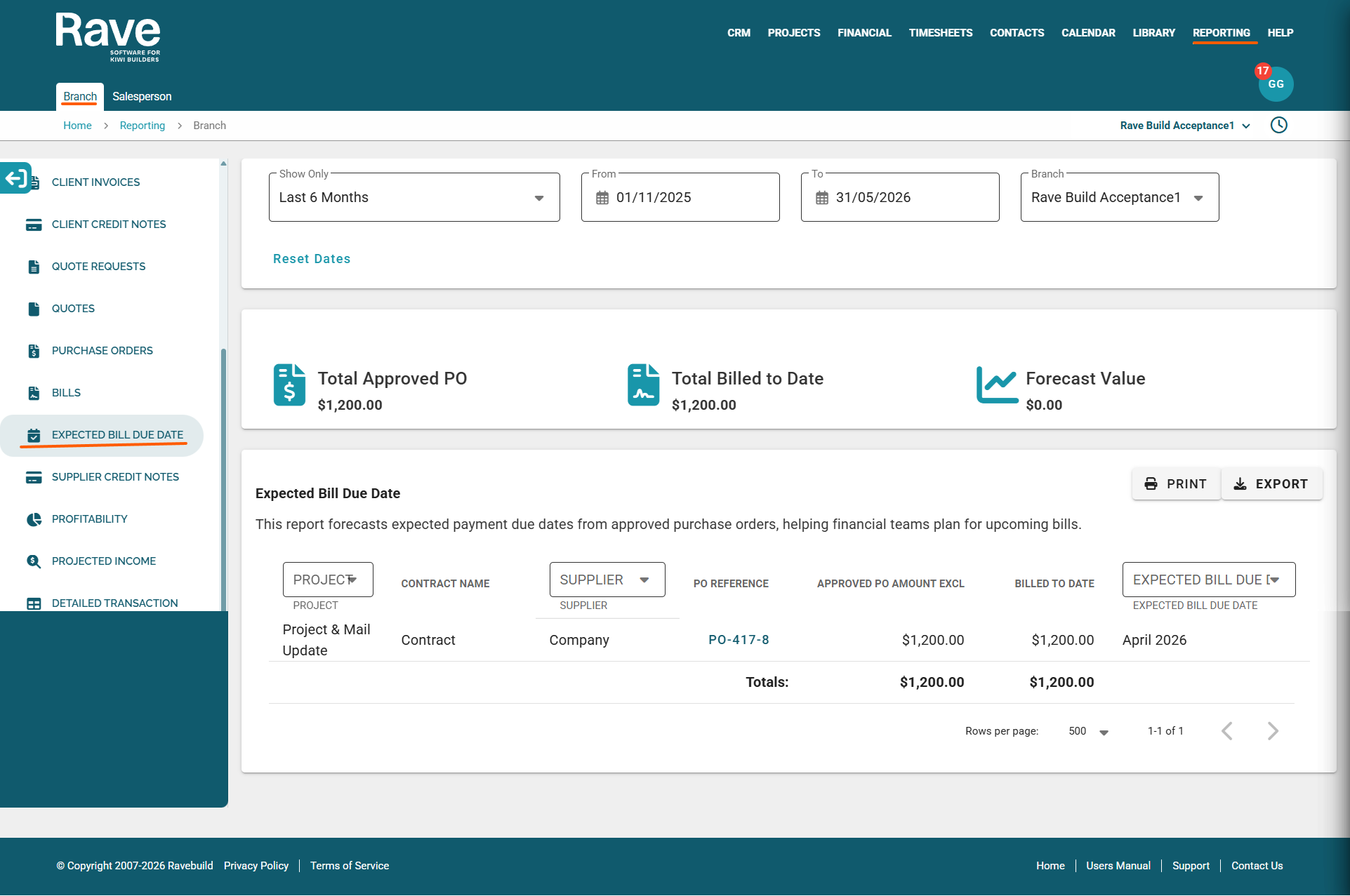
Along the top, you have the date range selector, Show Only, as well as a from and to box.
If you have more than one branch, you can select the branch you wish to review in the Branch box.
The report will then show the
Project, Contract Name, Supplier, PO Reference with hyperlink to open the PO, The approved PO amount, The billed to date amount (if any) and the Expected Bill Due Date.
The project, supplier and date fields are all selectable, should you wish to review only certain information on the screen before exporting.
You can export this to CSV or PDF and use it to forecast when your bills are likely to fall due across your entire business.
Was this article helpful?
That’s Great!
Thank you for your feedback
Sorry! We couldn't be helpful
Thank you for your feedback
Feedback sent
We appreciate your effort and will try to fix the article