Users with Financial Management enabled will have an internal branch contact automatically created under the Supplier tab. This contact can be used to create internal Quotes, Purchase Orders, Bills, Credit Notes and On Charge Invoices.
To locate this contact, click the Contacts
Then select Suppliers/Tennants
The Internal Contact is the one with the Cog icon.
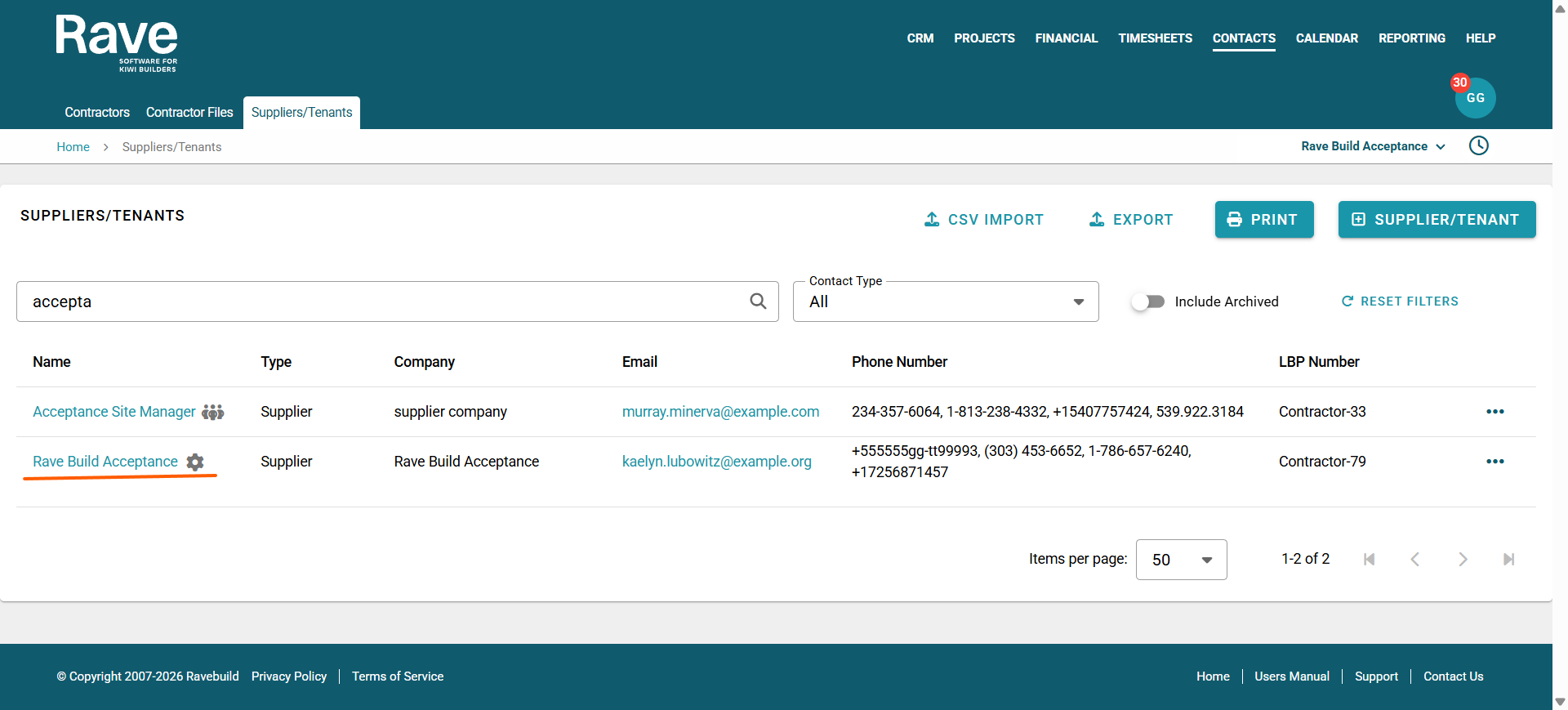
You can click the Contact Name to enter the profile overview and then select the Edit Button to make changes to this entry.
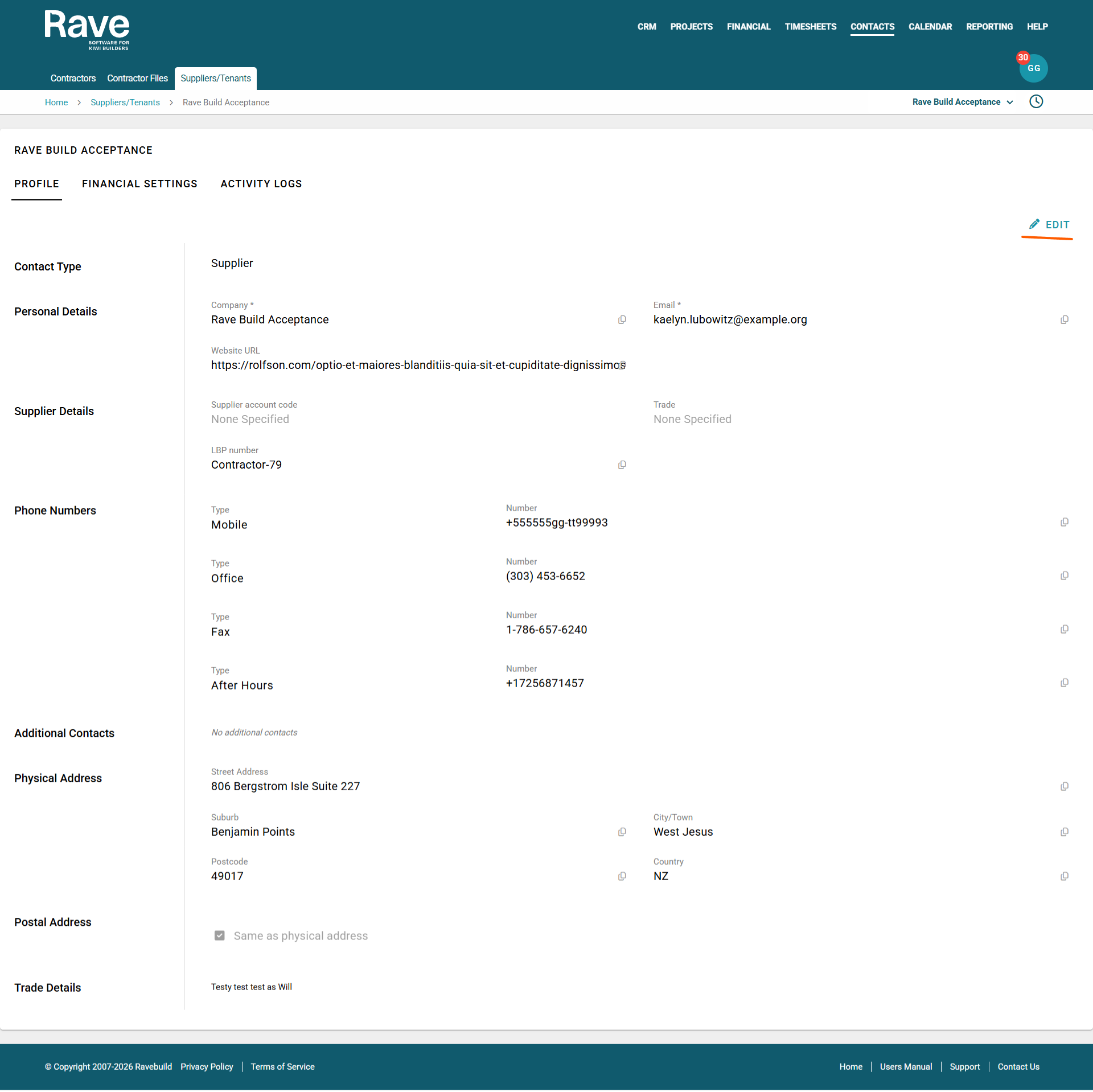
Note: Changing the Company name here will also change your Branch name for ALL parts of Rave, so please be careful when doing this.
Example of where the Internal Branch Contact is used. Adding an internal Bill.
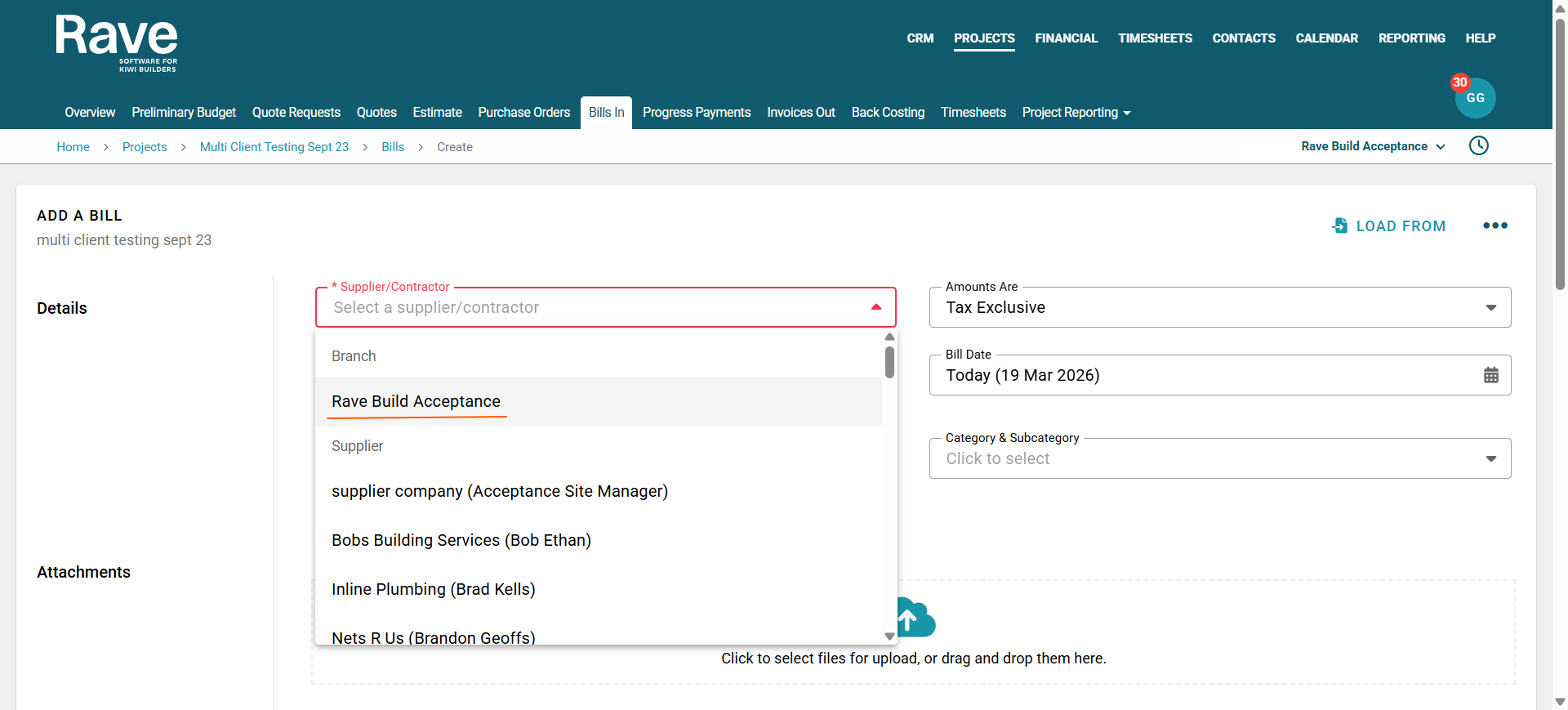
Note: You can also update your Branch Name on the Branch Settings - Branch Details page, which will update the name here as well. To read more about this, please click here for the help article on Branch Details.
Was this article helpful?
That’s Great!
Thank you for your feedback
Sorry! We couldn't be helpful
Thank you for your feedback
Feedback sent
We appreciate your effort and will try to fix the article